

In the rapidly evolving world of AI-powered video creation, InVideo AI Magic Box text commands have emerged as one of the most powerful features for creators, marketers, and businesses. We explore how this intelligent command-based system transforms simple text inputs into professional-grade videos, saving time, cost, and creative effort while delivering high-impact results.
This in-depth guide covers everything required to master InVideo AI Magic Box commands, from basic usage to advanced workflows, ensuring maximum productivity and creative control.
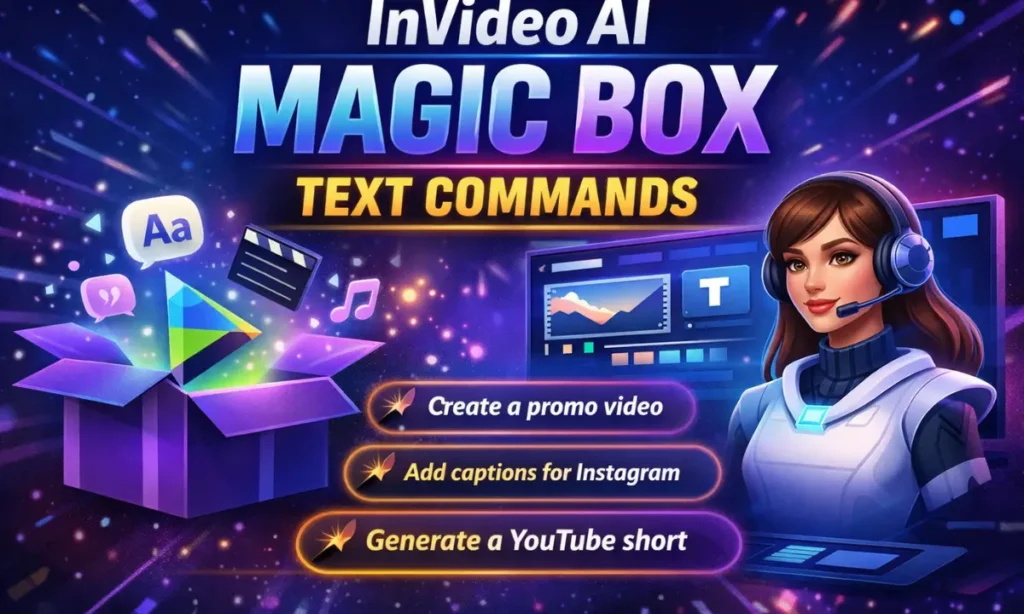
What Is InVideo AI Magic Box?
InVideo AI Magic Box is an advanced natural language command interface that allows users to control the entire video creation process using plain English text commands. Instead of manually editing scenes, timelines, transitions, or captions, we simply instruct the AI what to do, and it executes the task instantly.
The Magic Box acts as an AI-powered creative assistant, capable of understanding context, tone, platform requirements, and visual storytelling principles.
Why InVideo AI Magic Box Text Commands Matter
Modern content demands speed and scalability. With Magic Box text commands, we can:
- Generate complete videos from text prompts
- Edit videos without technical skills
- Adapt content for multiple platforms
- Optimize videos for engagement and conversions
- Reduce production time by over 80%
This makes InVideo AI an indispensable tool for YouTubers, social media marketers, advertisers, educators, and affiliate publishers.
How InVideo AI Magic Box Text Commands Work
The Magic Box interprets natural language instructions and converts them into actionable video edits. We can type commands such as:
- “Create a 60-second YouTube Shorts video about AI tools”
- “Add cinematic transitions and upbeat background music”
- “Rewrite the script in a professional tone”
- “Generate captions optimized for Instagram Reels”
The AI processes the request, selects visuals, applies animations, synchronizes audio, and produces a polished output.
Core InVideo AI Magic Box Text Commands Explained
1. Video Creation Commands
These commands help generate full videos from scratch.
Examples:
- “Create a promotional video about InVideo AI features”
- “Make a product demo video for an AI video editor”
- “Generate a storytelling video in a cinematic style”
The AI automatically structures the video with scenes, visuals, transitions, voiceovers, and text overlays.
2. Script Writing and Editing Commands
Magic Box excels at script intelligence.
Examples:
- “Write a persuasive YouTube video script on AI marketing tools”
- “Shorten the script to 45 seconds”
- “Rewrite the script in an engaging and conversational tone”
We can instantly refine messaging without rewriting manually.
3. Scene Customization Commands
These commands allow granular scene-level control.
Examples:
- “Replace the second scene with stock footage of AI technology”
- “Add animated text to highlight key benefits”
- “Remove unnecessary scenes and improve pacing”
This ensures creative precision while maintaining speed.
4. Voiceover and Audio Commands
Audio plays a crucial role in video engagement.
Examples:
- “Add a professional male voiceover with a neutral accent”
- “Change the voiceover speed to slow and clear”
- “Add soft background music suitable for tutorials”
InVideo AI intelligently balances voice and music levels for clarity.
5. Caption and Subtitle Commands
Captions are essential for accessibility and social media performance.
Examples:
- “Generate subtitles in English”
- “Highlight keywords in captions”
- “Optimize captions for TikTok and Instagram Reels”
This improves watch time and viewer retention.
6. Platform-Specific Optimization Commands
One of the strongest features of Magic Box is platform adaptation.
Examples:
- “Resize this video for YouTube Shorts”
- “Optimize video for Facebook ads”
- “Create a vertical 9:16 version for Instagram Reels”
The AI automatically adjusts framing, text placement, and pacing.
Advanced InVideo AI Magic Box Text Commands
Branding Commands
Maintain consistent branding effortlessly.
Examples:
- “Apply my brand colors and fonts”
- “Add logo watermark to all scenes”
- “Use a professional corporate design style”
Call-to-Action Commands
Boost conversions with smart CTAs.
Examples:
- “Add a strong call-to-action at the end”
- “Include a subscribe animation”
- “Insert a clickable CTA for product signup”
Content Repurposing Commands
Scale content across platforms.
Examples:
- “Convert this long video into 3 short clips”
- “Create a teaser version for social media”
- “Summarize the video into a 30-second highlight”
Best Practices for Using InVideo AI Magic Box Commands
To achieve optimal results, we recommend:
- Being clear and specific in commands
- Mentioning platform and duration explicitly
- Specifying tone and audience
- Using iterative refinement with follow-up commands
- Combining multiple commands for complex workflows
Clear instructions allow the AI to deliver highly accurate outputs.
Who Should Use InVideo AI Magic Box Text Commands
This feature is ideal for:
- Content creators and YouTubers
- Affiliate marketers and bloggers
- Digital marketing agencies
- E-commerce brands
- Educators and course creators
- Social media managers
Anyone seeking fast, scalable, and professional video production benefits from Magic Box.
SEO and Marketing Advantages of InVideo AI Magic Box
From an SEO and marketing perspective, Magic Box helps us:
- Produce video content consistently
- Increase engagement and dwell time
- Improve social media reach
- Enhance brand visibility
- Support content marketing funnels
Video content generated through InVideo AI aligns perfectly with modern content consumption trends.
Why InVideo AI Magic Box Outperforms Traditional Video Editors
Unlike conventional editors that require technical expertise, timelines, and manual adjustments, InVideo AI Magic Box offers:
- Natural language control
- Instant execution
- AI-driven creative decisions
- Faster turnaround
- Lower production costs
This makes it one of the most efficient AI video tools available today.
Future of AI Video Creation with Magic Box Commands
As AI continues to evolve, text-command-based creation represents the future of video production. InVideo AI Magic Box sets a new standard by blending creativity, automation, and usability into a single intelligent interface.
We are witnessing a shift where ideas matter more than technical skills, and Magic Box leads this transformation.
Mastering InVideo AI Magic Box Text Commands
Mastering InVideo AI Magic Box text commands empowers us to create high-quality videos at scale with unmatched speed and efficiency. From ideation to final export, everything can be controlled using simple text instructions, making professional video creation accessible to everyone.
For creators and marketers aiming to dominate video platforms, leveraging Magic Box commands is no longer optional—it is essential.